REGISTRATION GUIDE
How to Register on SWC
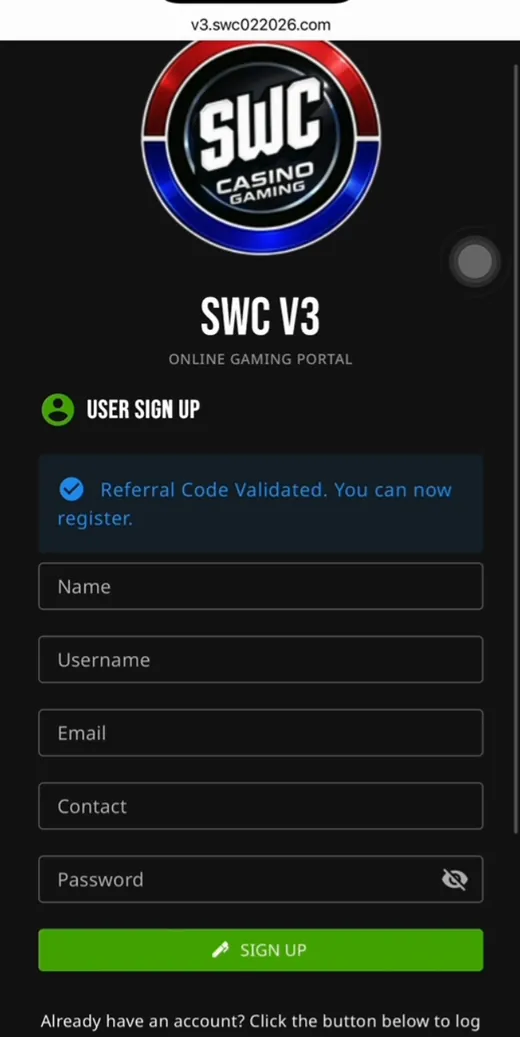
Three steps. Open, fill in the form, cash in. Under a minute and you're at the fights.
Short answer
To register on SWC: open the player link, fill in the five fields — Name, Username, Email, Contact, Password — then cash in from ₱100 via GCash, Maya, GoTyme, GrabPay, ShopeePay or QR Ph. No app to download and no documents to submit before you play.
The three steps
1
Open the player link
The registration page opens in your browser. No download, no install.
2
Fill in the five fields
Name, Username, Email, Contact and Password. Pick a username you'll remember and a password no one can guess.
3
Cash in from ₱100
Choose your e-wallet, follow the QR code or reference number, and the funds arrive right away.



That easy.
REGISTER NOW
What you need
| Age | 21 and older |
|---|---|
| Device | Any phone or laptop with a browser |
| On the form | Name, Username, Email, Contact and Password |
| Mobile number | An active number under Contact — notifications go here |
| Payment | GCash, Maya, GoTyme, GrabPay, ShopeePay or QR Ph |
| Starting funds | From ₱100 |
| App | None — it runs in your browser |
You have everything you need.
GET STARTED
Common problems
My username isn't accepted
It means someone already took it. Add a number or change it slightly — for example, from juan to juan0917.
My cash in didn't arrive
First check that the reference number is correct and that you sent to the right account shown on the cashier page. If everything is correct and it still hasn't arrived after a few minutes, screenshot your receipt and show it to support.
I forgot my password
Use forgot password on the login page — the reset is sent to the mobile number you registered. That's why the number you give must be active.
Do I need a valid ID?
You don't need an ID to create an account and play. For a large cash out, the platform may ask for verification — that's normal on every gaming platform.
All set?
CREATE MY ACCOUNT
It takes one minute
Just five fields. Cash in from ₱100.